Documentation Index

Fetch the complete documentation index at: https://pinata-openclaw-skills.mintlify.app/llms.txt

Use this file to discover all available pages before exploring further.

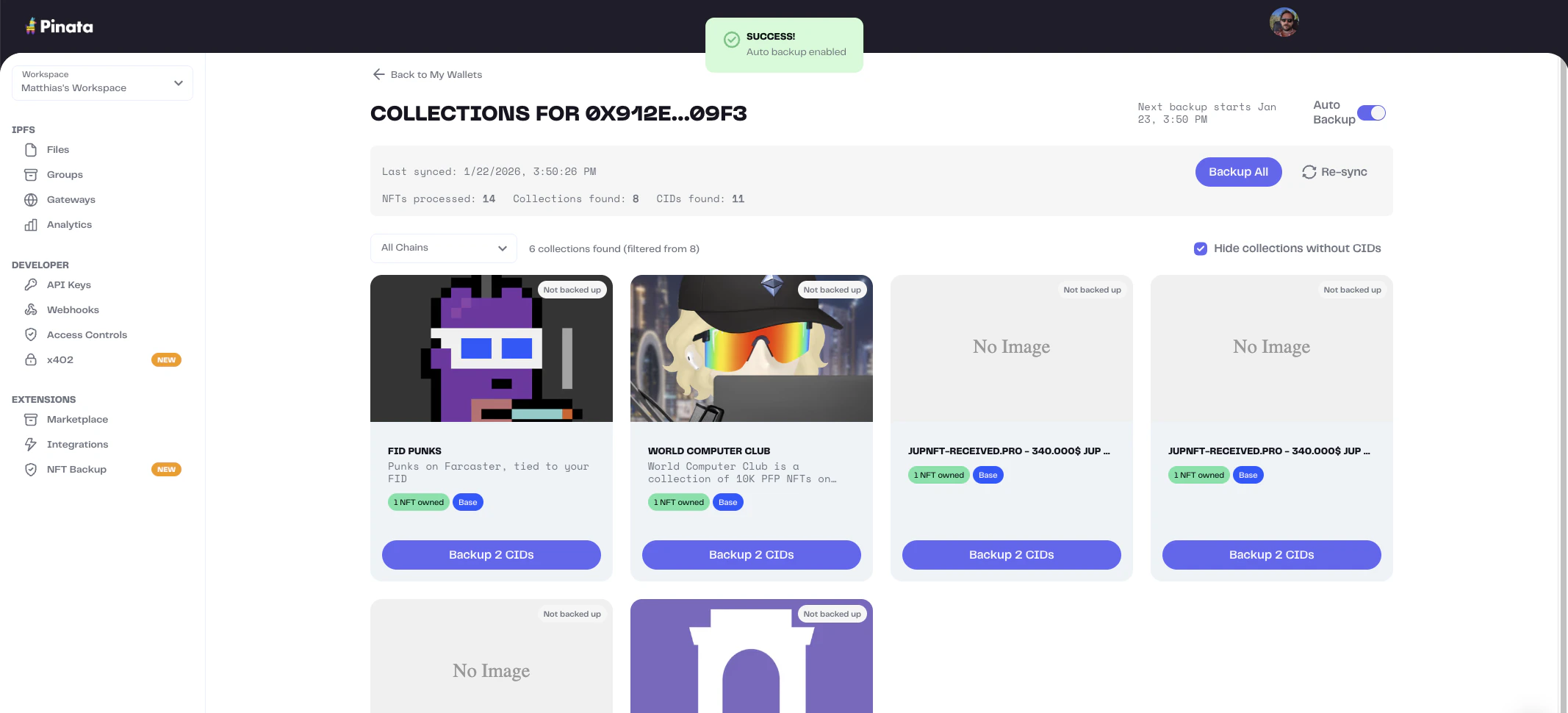
After syncing a wallet, backup the IPFS CIDs to your Pinata account. Own multiple NFTs from the same collection? Shared assets are only pinned once, so you won’t pay for duplicates.

Backup All

To backup all CIDs for a wallet:
  1. Go to NFT Backup
  2. Select a wallet
  3. Click Backup All
Pinata pins all CIDs in the background. This can take a few minutes.

Auto-Backup

Image Enable auto-backup to automatically pin new CIDs when you sync:
  1. Select a wallet
  2. Toggle Auto-Backup on